Skip to content
DeutschRequest access

From a walkthrough video to a walkable model

Five steps, and one of them is the step where nothing is computed yet: before a GPU starts, the material is checked to see whether it holds up. This page walks through all five, says where the metres come from, and writes down what does not work today.

The five steps

A real sequence, so it is numbered. What you do is in steps one and two; from three onwards the machine works, and you are asked when you need to be.

  1. Film

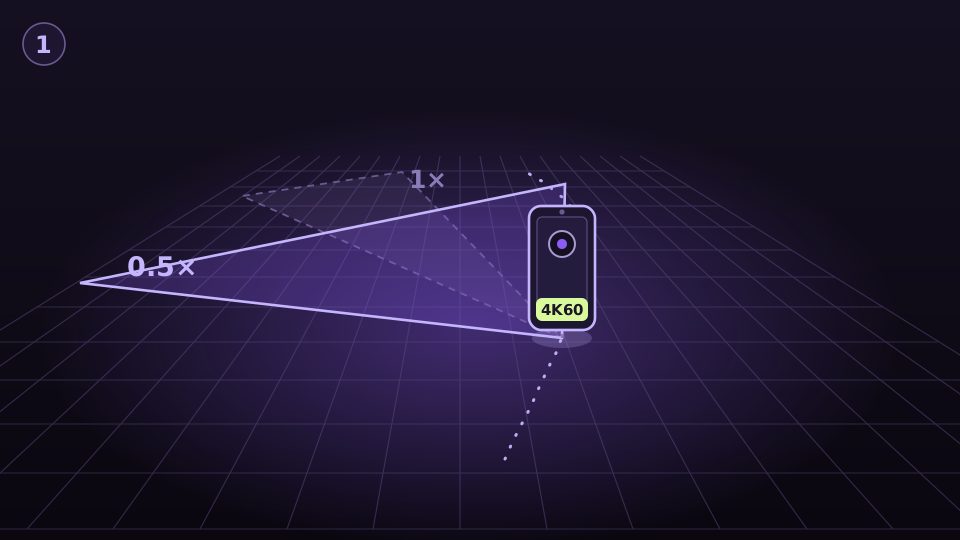
    You walk the room slowly and film as you go. Use the ultra-wide lens, 0.5×, wherever your device has one — this is not polish but the condition for the camera path being solvable at all: the same flat, filmed twice, closed its loop at 0.5× with 1.47 px of error; at 1× it could not be solved.

    4K at 60 frames per second, HDR and action mode off, exposure and focus locked, a brief pause in every doorway, and close the loop by walking past your starting point. A 2× or 5× tele take we do not accept: in a room the frames then overlap too little, and no frame rate repairs that.

    Read the capture guide
    Diagram: a phone above a floor grid, in front of it a wide view frustum marked 0.5× and behind it, faintly, a narrow one marked 1×; the filmed walk runs across the grid as a dotted curve.
  2. Upload

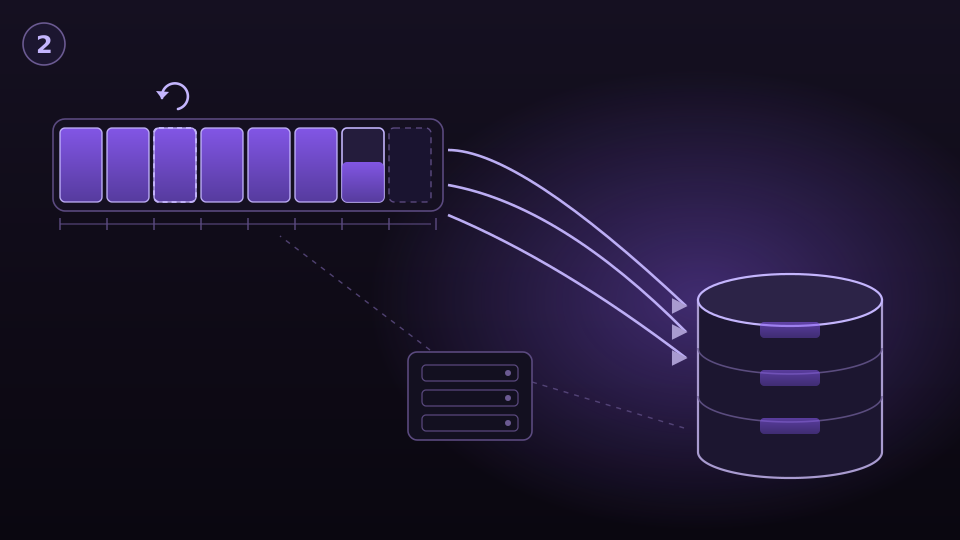
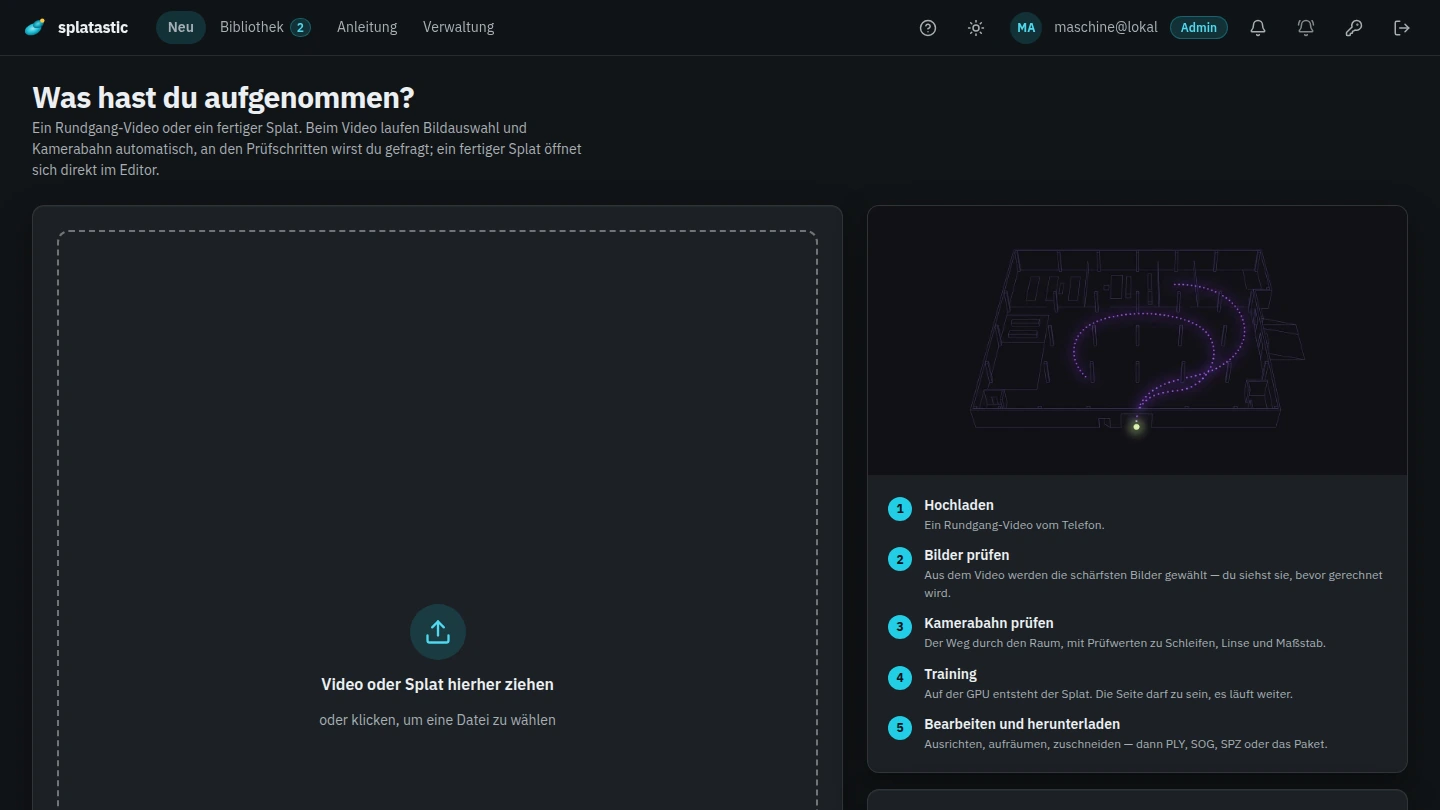
    You upload the video in the browser. It goes to object storage in parts, straight past our own server; if the connection drops it carries on where it stopped instead of starting over.

    In come MP4, MOV, MKV and WebM, up to 20 minutes per video — which is exactly the length that fills the budget of 4,800 extracted frames at four frames per second — and up to 4,096 px on the longest edge. One capture may consist of several sources, and a finished splat is welcome too: PLY, SPZ, SOG, SPLAT or KSPLAT, from a handheld scanner for instance.

    What does not come in is 360° spherical video and the raw files of spherical cameras (.insv, .360). Those are refused by file name before a single byte is stored, with a sentence telling you what to do instead. The limits that apply today are shown in the app above the upload; they are configurable per installation.

    Diagram: a video as a long bar divided into chunks; arrows lead from the chunks past a thinly drawn server straight into a storage cylinder, and one chunk carries a retry mark.
  3. Check

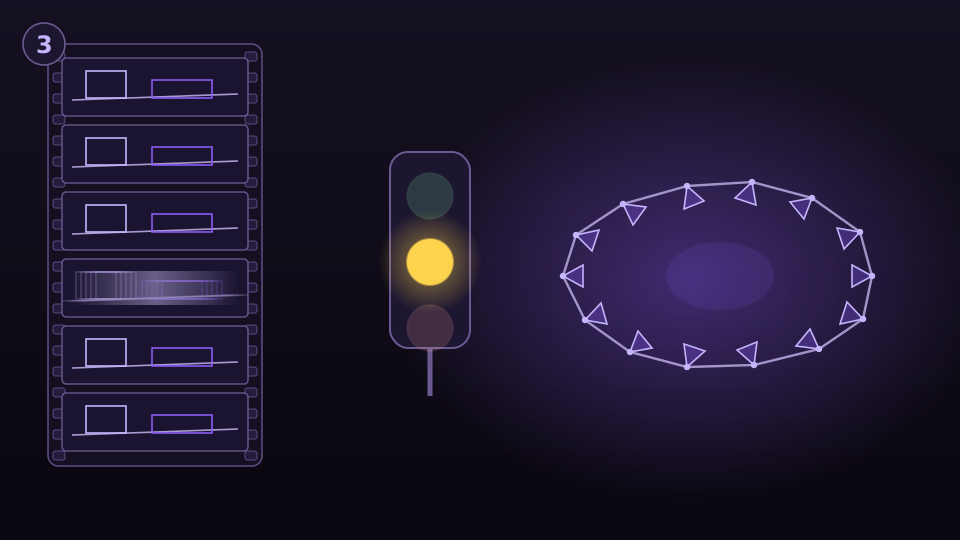
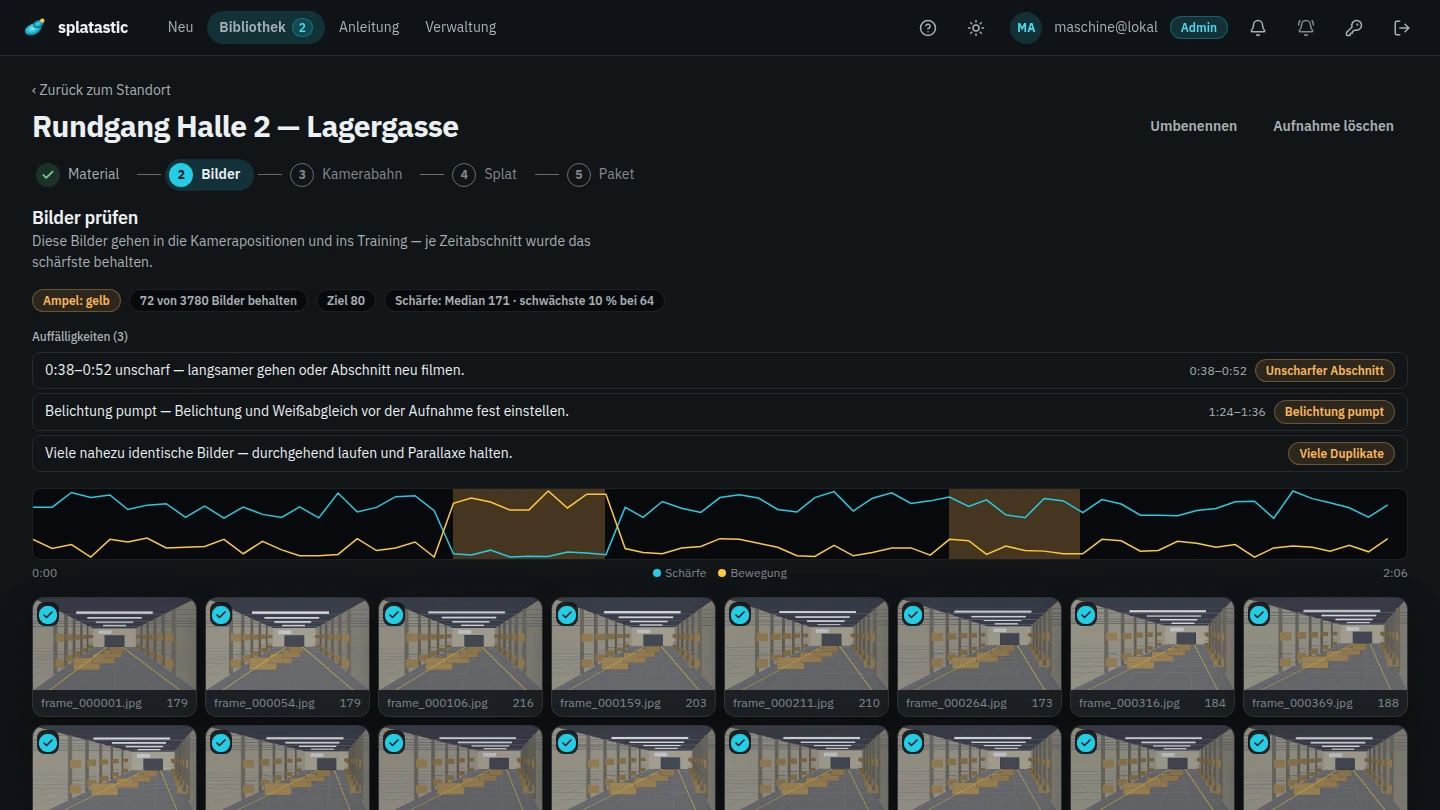
    Before a GPU starts, a pre-check on our own server looks at whether the material holds up. It pulls two frames per second and measures sharpness, exposure, duplicates and standstill. In a second pass it looks for the two faults you cannot see in a single frame: texture-poor passages — a white wall is perfectly sharp and still has nothing you could recognise again — and stretches where the camera was panned instead of carried.

    Then there is a light. Green means nothing in the measured values stands out. Amber means something wants a look, but computing is not obviously wasted. Red means computing here would very likely be wasted GPU time. Whatever could not be measured is never green — unknown must not pass as “fine”.

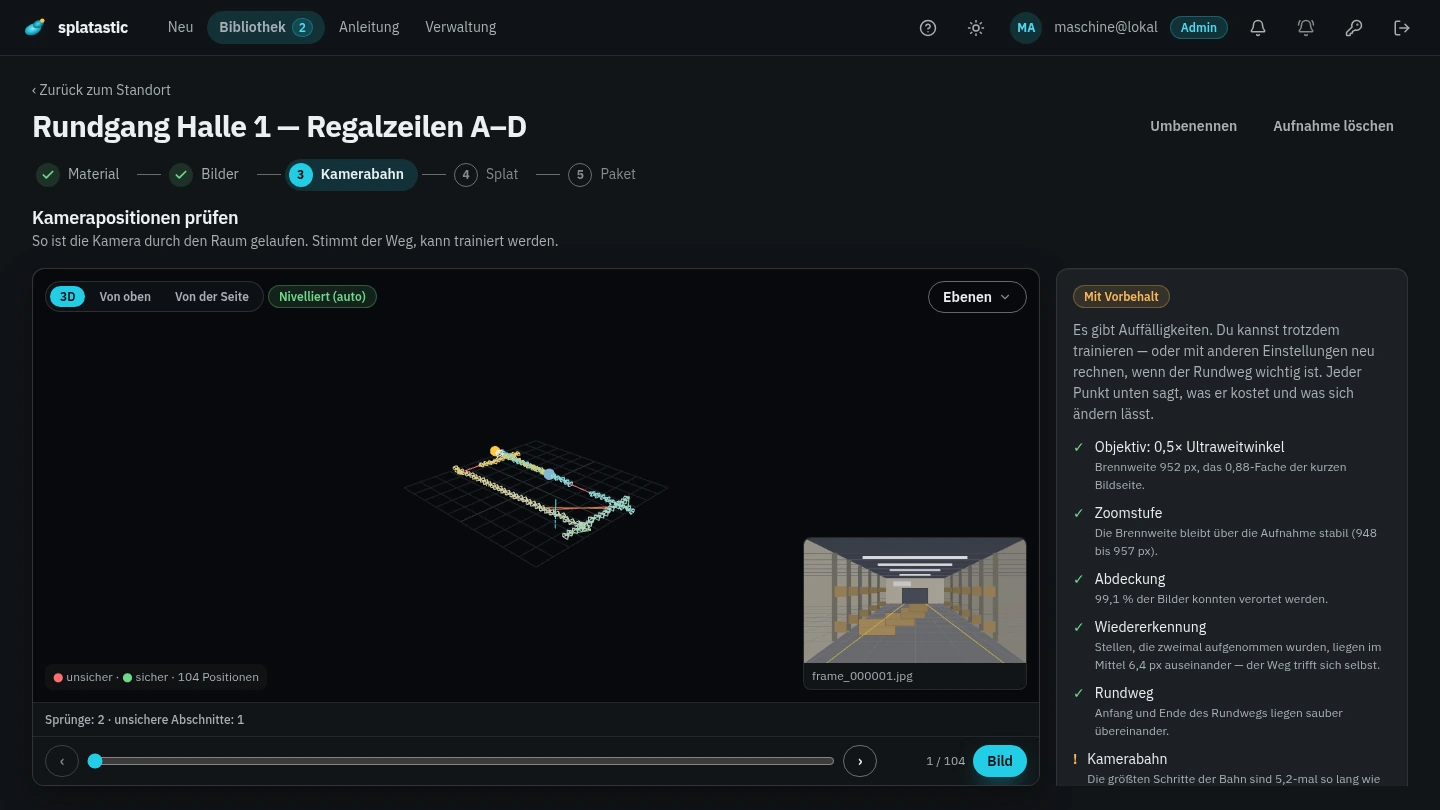
    The same thing happens again once the camera path has been computed, and its thresholds are calibrated against real runs rather than guessed: a walk at 1.47 px and one at 2.69 px of loop error came out green, a large production hall at 3.78 px still green, and a failed run at 90.9 px red.

    Who decides? On green it runs through. On amber or red the job halts and waits for you — with the reason, a sentence about it, and a link to the part of the capture guide that explains it. You can still start it; you are just not meant to be surprised. And anyone plugging in a system that checks the result itself can switch the halting off: the verdict is then recorded in the capture’s metrics instead of holding somebody up.

    Diagram: on the left a filmstrip of six frames, one of them smeared; on the right the solved camera path as a chain of small camera frustums closing a loop; between them a traffic signal with only the amber lamp lit.
  4. Compute

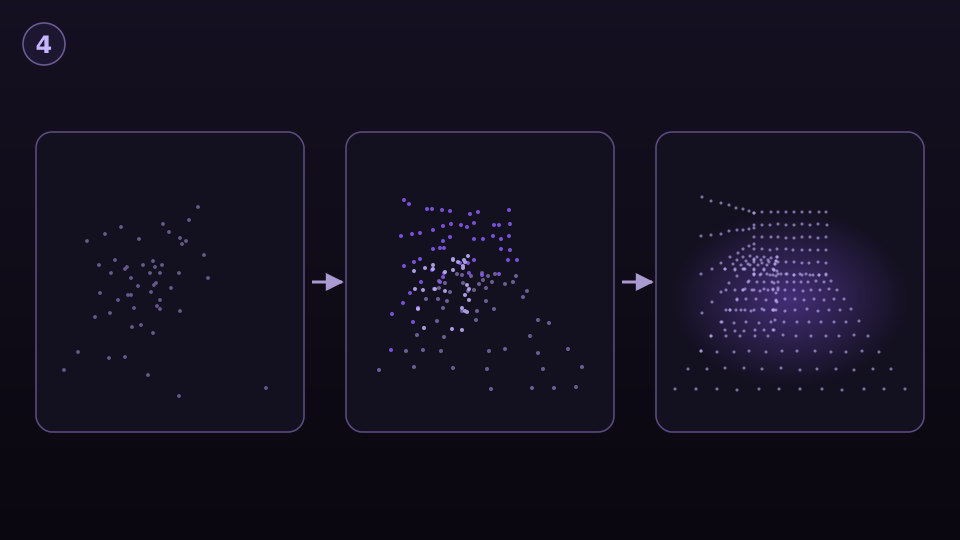
    Only now does a GPU server start. It computes the camera path, picks the frames from the video that contribute something, trains the splat out of them and builds a collision mesh from the scene. While it runs you can see where it stands, and you can cancel.

    We promise no duration: it depends on the number of frames, the training steps and which card is free. What we have measured is one single acceptance run — 20,000 training steps at 1.4 million splats took 2,837 seconds of pure compute, about three minutes per 1,000 steps, and roughly an hour including evaluation and export. The same run with a dense depth prior cost 4,800 seconds instead of 1,027. That is a measurement, not a commitment.

    Diagram: the same scene three times side by side, denser from left to right — first a few grey dots, then more and coloured ones, finally a dense point cloud; arrows between the three frames.
  5. Deliver

    At the end a package is ready, and in it is exactly what the delivery contract guarantees — no more. A package that breaks the contract is not delivered: a capture with no scale measurement is honestly not metric, so it does not go out.

    You download the files separately or as one ZIP, share the scene by link, or fetch the package through the API. Your system receives a signed webhook whenever the state changes.

    Read the API page
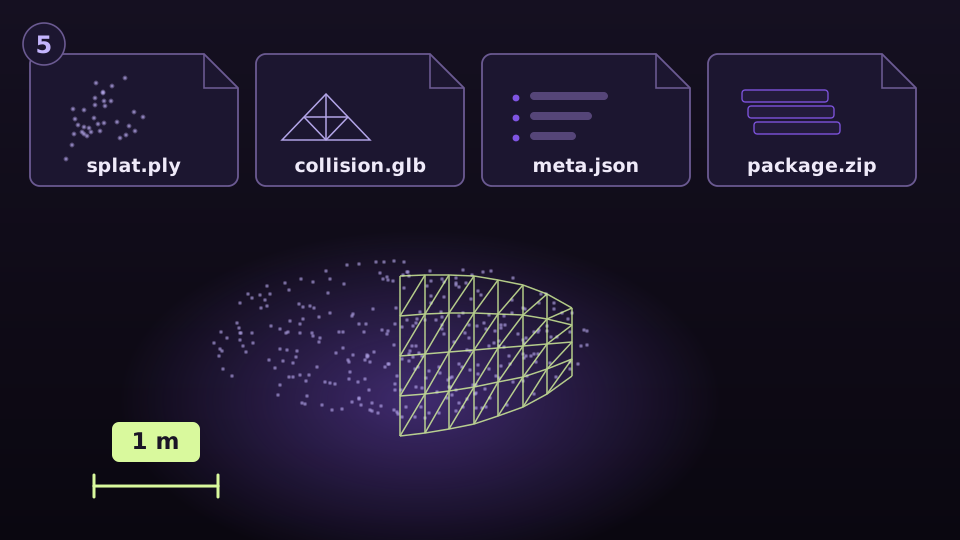
    Diagram: four file cards labelled splat.ply, collision.glb, meta.json and package.zip, below them a splat with a wireframe collision mesh laid over its right half, and next to it a dimension line reading 1 m.

What arrives

Not a link to a platform but files that fit into your own software. Each of them carries its scale inside it.

  • splat.plyThe walkable splatOpens in common Gaussian splatting viewers, in SuperSplat, and through plugins in Unreal and Unity.
  • collision.glbThe collision meshA GLB file in the same frame as the splat — so you walk in the model instead of through its walls.
  • meta.jsonScale, levelling and provenanceThe required fields of the delivery contract, plus the device, the quality tier and the run’s metrics.1 unit = 1 m
  • package.zipAll of it in one fileOne download when you do not need the parts separately.

A connected system fetches the same files through the API, with its own reference and no interface in between.

Read the delivery contract

Where the metres come from

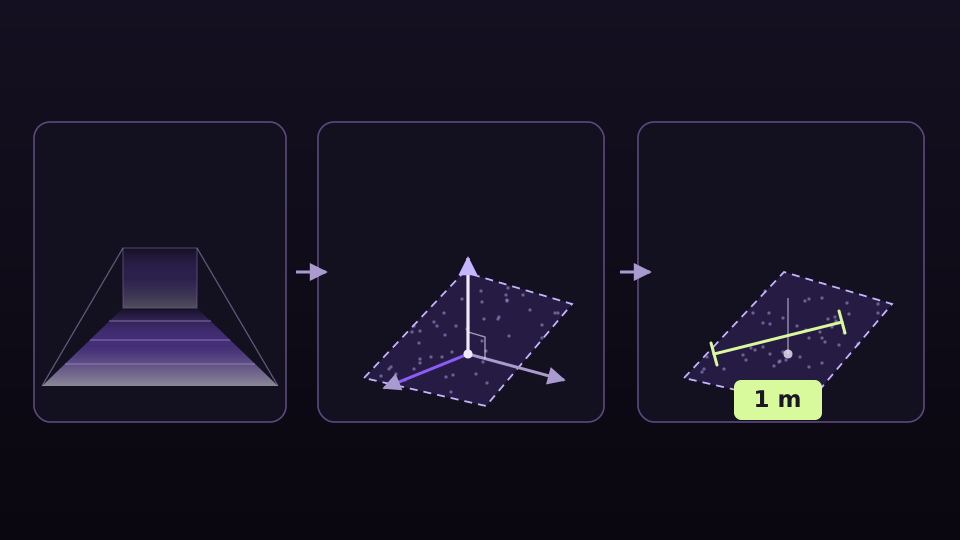
The scale does not come from a marker on the floor but out of the walk itself. The camera path is computed with a depth model that estimates distances in metres, and the scale of the scene is fused out of that estimate — from many anchors, not from one.

It can be more exact if you want it to be: a calibration pattern of known size in the room beats the estimate, and a distance you know yourself can be typed into the viewer. A measured distance is more reliable than an estimated one, which is why it wins.

Levelling to the floor asks two witnesses that know nothing of each other: where the camera had “up” in every frame, and which plane you walked in. If the two agree within ten degrees, the scene is rotated. Up to twenty-five degrees the camera wins, because that looks like stairs or a ramp. If they disagree by more, the scene stays as it was reconstructed: a wrong automatic levelling costs more trust than a missing one. Only the horizontal is rotated — we do not invent a north.

Diagram in three panels: on the left a single frame of a room with a near-to-far gradient, in the middle a tripod of axes whose vertical points up and whose other two lie flat on a detected floor plane, on the right the same scene with a 1 m dimension line on that floor; arrows from left to right.
The three fields that carry the scale
FieldValueWhat it means
metersPerUnit1One unit is one metre.
upAxis"Y"The floor is down, as far as the estimate was good enough to say so.
identityTransformtrueNothing is left to convert — splat and mesh carry the same bake.

How accurate the scale is in a given case is something we do not know yet — and so there is no number here. The reason is uncomfortable and belongs here anyway: we put two depth models against each other on the same scene, and their scales came out far apart. At least one of the two is therefore well off reality; which one, a tape measure will say and no computation will. That measurement is running. Until it has a result we quote no accuracy — not even as “roughly”.

What does not work today

This is here so you know it beforehand rather than afterwards. Where a measurement stands behind it we name the measurement; where none does, we say that too.

360° spherical video

Not yet. We do not accept a spherical video as a source, and the raw files of those cameras (.insv, .360) even less. What does work today: export a flat video with the “Linear” field of view from Insta360 Studio and upload that. The spherical route has been begun — cutting one panorama into twelve views per frame is built — but the measurement that decides whether it holds up is still missing. Until it exists we do not announce it as a feature.

A 1× lens instead of 0.5×

We do compute 1× material, on a route of its own: sampled more densely, at full resolution, with support frames. It does not reach 0.5×. The measurement behind that is the one above — 1.47 px against unsolved — and with software alone the prototype never got the same 1× video below 631 px. If your device has an ultra-wide lens, use it. 2× and 5× are refused at upload.

White walls, glass and mirrors

A white, smooth wall is perfectly sharp and still has nothing you could recognise again; in front of one the reconstruction drifts rather than stopping. Keep an edge, a door frame or the floor in the shot. Glass and mirrors stay unreliable, because a reflection travels along with the camera. For either of these we have no number, so we quote none — the pre-check does now find texture-poor passages by itself and tells you where they are.

Merging several sections into one model

Not built. A large floor is filmed in sections, and you get one delivery per section, each standing in metres on its own. Because they all share the same scale and are levelled to the floor, you can place them relative to each other in Unreal, Unity or a CAD tool — the assembling happens there, not here.

Where your data sits, and for how long

Buyers ask this before they upload anything. The binding version is the privacy policy; the same facts are here in the order of the process.

  1. Upload and results

    Through short-lived signed links straight into object storage at Hetzner Online GmbH in Nuremberg, Germany. All results live there too: splats, collision meshes, delivery packages and previews.

  2. Pre-check and database

    On our own server at Hetzner in Nuremberg. Whatever is checked before computing does not leave Germany.

  3. Computing on the GPU

    On GPU servers from RunPod, Inc. in a datacentre in the Netherlands. RunPod is headquartered in the USA, access from there cannot be ruled out and is covered by the European Commission’s standard contractual clauses. Those servers receive the files through links that expire after a few hours and have no access of their own to our storage; the working copy is removed after the run, and leftovers sit for at most fourteen days.

What you upload is yours. For everything you upload on behalf of a company or through a partner — the video included, and therefore also whoever happens to be visible in it — we are a processor under Art. 28 GDPR: the client decides about that data and we process it on their instruction.

We are the controller only for what concerns us directly: the account, signing in, contact enquiries. We do not sell data, and we do not train anything on your material for somebody else’s benefit.

The retention periods

Source video and images
Ninety days without access, and at most until you delete the capture.
Working data of the run
Ninety days without access; every re-export resets the clock. After that an export would be a full recomputation from the source material.
Results
Until you delete the capture.
Working copies on the GPU servers
Until the run ends, leftovers at most fourteen days.
Backups
Seven days.

Deleting is immediate and works in both directions: captures, versions and sites you delete in the app yourself, a connected system deletes them through the API, and we delete the account on request. When a retention period runs out we report it to the webhook, so your system knows what it still has.

Read the privacy policy

Frequently asked questions

What happens when the light is amber or red?

The job halts and waits for you instead of computing. You see the reason, a sentence about it, and a link to the part of the capture guide it concerns. Then you decide: compute anyway, film a second time, or let the capture go. Red does not mean “forbidden”, it means “GPU time is very likely wasted here”.

Which programs can I open the result in?

The splat opens in common Gaussian splatting viewers and in SuperSplat; for Unreal Engine and Unity there are plugins that load PLY splats. The collision mesh is a GLB file and goes anywhere GLB goes — there it sits in the same frame as the splat, in metres and levelled to the floor. And in a browser you need nothing at all: a share link opens the scene directly.

Who can see my captures?

You, and whoever holds a share link from you. A share link is not indexable, and we do not show a customer scene publicly without asking first — the drawings on this page and on the start page are drawings for exactly that reason.

Do I have to install anything?

No. You film with the camera app your device already has, and you upload and view in a browser. For the way into your own software you need the files — and you get the files instead of a link to a platform.

Can this run without the interface, out of my own system?

Yes. Your system creates the capture, uploads the video straight to storage, tracks the states and receives a signed webhook when the delivery is ready — with your own reference. What the contract guarantees is on the API page, field by field.

Read on

Capture guide

The seven rules with their measured reasons, plus a checklist and a printable card to take along.

API

Create a capture, upload straight to storage, track the states, verify signed webhooks, fetch the package.

Warehouses and halls

What this is for in a warehouse or an industrial hall — measuring aisles, planning a rebuild, showing floor space.

Got a space you want to show as something people can walk?

Request access